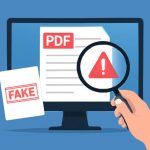
Recognizing the signs of manipulated PDFs and common red flags
Digital documents can be altered in ways that are not immediately obvious to the naked eye. Learning the typical indicators of tampering helps identify potential fraud early. Look for inconsistencies in fonts, spacing, and alignment; these small layout anomalies often reveal copy-paste edits or content stitched together from different sources. Metadata is another critical clue: examine file creation and modification dates, author fields, and software identifiers. A document whose metadata shows creation after the invoice date, or a mismatch between the claimed author and the software used, should raise suspicion.
Visual cues matter too. Scanned signatures that appear oddly smooth or pixelated compared to the rest of the document, uneven margins, and blurred text where other text is sharp are common signs of manipulation. Watermarks that shift position between pages, or missing security features such as microprint and embossed seals, indicate possible alteration. Even numerical inconsistencies—totals that don’t sum correctly, mismatched invoice numbers, or improbable tax calculations—are practical red flags that point toward fraud.
Technical checks complement visual inspection. Use PDF viewers to inspect layers and hidden objects; some fraudulent PDFs contain hidden white text placed over real text, or invisible overlays that conceal edits. Verifying embedded fonts and checking for OCR (optical character recognition) artifacts on supposedly original digital files can also reveal that a document was created from a scan rather than exported from accounting software. Emphasizing these methods increases the ability to detect pdf fraud before financial or reputational damage occurs.
Tools and techniques to verify invoices and receipts
There are practical tools and structured workflows that streamline verification of invoices and receipts. Start with basic steps: cross-check supplier details, bank account numbers, and contact information against previously known records. Confirm invoice line items with purchase orders and delivery confirmations. When a document seems suspect, use specialized verification services and software that analyze PDF integrity, metadata, and embedded images. These tools can flag inconsistencies and highlight areas that warrant human review.
Integrating automated checks into accounts-payable workflows reduces human error and speeds detection. Machine learning models trained to recognize typical invoice templates and layout patterns can quickly spot anomalies. For small businesses or individual users, online utilities allow a rapid scan to detect fake invoice in uploaded PDFs, comparing signatures, checking metadata, and scanning for common tampering techniques. Pair these automated scans with manual verification for high-value transactions, including direct confirmation with suppliers via known contact channels.
For receipts, validate purchase dates and payment methods against bank or card statements. Look for duplicated receipt numbers or receipts that share identical image patterns across multiple suppliers—signs of template reuse. For organizations handling many documents, implementing two-factor verification steps—such as requiring purchase order approval prior to payment and random audit sampling—dramatically reduces the risk of paying based on a forged document. Combining these technical tools and procedural controls provides a robust defense to detect fake receipt attempts and other fraudulent submissions.
Real-world examples, case studies, and best practices for prevention
Case studies illustrate how fraud schemes operate and how detection strategies work in practice. In one notable instance, a mid-sized company received an invoice that matched an expected delivery but listed a different bank account for payment. A routine metadata check revealed the PDF had been regenerated using consumer PDF software, and the invoice number did not exist in the supplier's records. Contacting the supplier through an independently verified phone number uncovered that the supplier’s email had been spoofed. The combination of metadata inspection and independent confirmation stopped a large fraudulent payment.
Another example involved cloned receipts submitted for expense reimbursement. Employees submitted receipts that were visually convincing but showed identical image artifacts when compared with known genuine receipts. Image analysis tools detected duplicated noise patterns and embedded white overlays that masked edits. The organization updated its expense policy to require original transaction IDs and added random audits, significantly reducing recurrence. These scenarios underscore the importance of layered defenses: technical verification, policy controls, and human diligence.
Best practices include maintaining an authoritative supplier database, requiring dual approvals for unusual payments, and training staff to recognize common red flags. Implement routine audits and encourage a culture of verification rather than trust by default. When a suspicious PDF appears, preserve the original file, document the verification steps taken, and escalate to security or finance teams as needed. Emphasizing continuous improvement—updating detection tools and sharing lessons learned—helps organizations stay ahead of evolving tactics designed to detect fraud in pdf and protect financial assets.